

How Do You Schedule Smart Shades to Open and Close Automatically? Setting Up RYSE Routines Step by Step

Manually opening your shades every morning is a small chore, but it is one you repeat roughly 700 times a year. Scheduling solves that. In the RYSE app, these schedules are called Routines, and they let your shades move to a set position at a set time on the days you choose. Here is exactly how to build one.
What You Need Before You Start
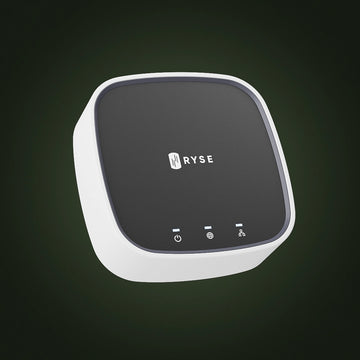
To set up a routine, you'll need the SmartBridge. Then SmartShade's on-device buttons, app control over Bluetooth, and manual open and close all work without any extra hardware. Scheduling does not.
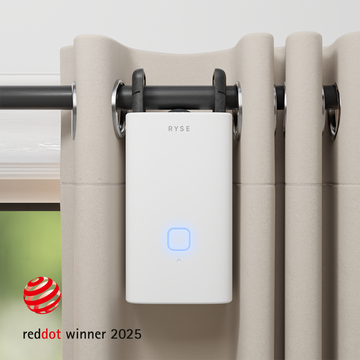
- SmartShade ($149.99) for existing beaded-chain shades, or SmartCurtain ($199.99) for existing rod curtains. Both are retrofits, so you keep the window coverings you already own.
- The SmartBridge ($49.99). This is required for Routines, and also for voice control through Alexa, Google Assistant, and Apple HomeKit, plus remote access when you are away from home.
- Power. A wired SmartShade stays plugged in. If you would rather skip the cord, the BatteryPack ($49.99) makes it wire-free, or you can buy the wire-free SmartShade bundle ($199.99) outright.
How to Create a Routine
Step 1: Open the Routines tab
From the main dashboard of the RYSE app, tap the Routines icon in the bottom right of the screen.
Step 2: Start a new routine
Select Create Routine, or tap the + button in the upper right corner.
Step 3: Name it
Give the routine a name and, if you want, a short description. Practical names beat clever ones here. Try "Weekday Wake Up" or "Living Room Sun Block." Tap Save.
Step 4: Choose your windows
Select which windows belong to this routine, then tap Save. One routine can drive several windows at once, so an entire south-facing wall can move together.
Step 5: Set the time and the days
Pick the time the routine should run, then choose which days of the week it repeats on. This is where a weekday-only wake up and a slower weekend schedule become two separate routines.
Step 6: Choose the position
Use the slider to set where the shades should end up. Fully open, fully closed, or any point in between. Partial positions are worth experimenting with. Thirty percent open can cut afternoon glare on a screen while still keeping the room bright.
Step 7: Save
Tap Save. Your routine now appears in the Routines tab and will run on its own from that point forward. Repeat the process for every routine you want. Full instructions with screenshots and a video walkthrough are available in the RYSE help center article on creating a routine.
Three Things Worth Knowing
- Everyone in the household gets it automatically. If you have added other users to your SmartBridge, any routine you create shows up in their app too. No re-entry, no duplicate schedules. See sharing access with other users for how to invite people.
- You can pause a routine instead of deleting it. A toggle turns any routine off and back on, which is useful for travel, guests, or a week of night shifts. The help center covers this under temporarily disabling a routine.
- AXIS Gears and RYSE SmartShades cannot share one routine. If your home has both, create two separate routines and set them to the same time. The result looks identical from the couch.
A Simple Starter Setup
If you are not sure where to begin, three routines cover most of a normal week.
| Routine | Time and days | Position | What it does |
|---|---|---|---|
| Weekday Wake Up | 7:00 AM, Monday to Friday | Fully open | Brings morning light into the bedroom on a schedule instead of an alarm you snooze |
| Midday Glare Guard | 1:00 PM, every day | About 30 percent open | Softens direct afternoon sun on the sunniest side of the house |
| Evening Wind Down | Just after sunset, every day | Fully closed | Closes the house for privacy and darkness before bed |
Add a slower weekend version of the wake up routine once you know what times actually suit you.
Why RYSE Is a Practical Choice for Scheduling
Most scheduled window coverings require replacing the shades you already have. RYSE does not. The SmartShade clips onto the beaded chain of the roller, zebra, or solar shade already hanging in your window, and the SmartCurtain works on existing curtain rods without tools. Nothing gets drilled, no electrician is needed, and everything comes down cleanly when you move. Add the SmartBridge and the shades you already own start running on a schedule.
Ready to automate the windows you already have? Start with the RYSE SmartShade.
Share with your community!
In this article
Sign up for our newsletter
Latest from experts

Your Shades, Your Rules: 12 Creative Ways to Automate RYSE With IFTTT

Can Smart Shades Make Your Home Look Occupied While You're Away? A Guide to Vacation Security Routines
