

Do Smart Shades Work With Google Home? A Complete RYSE Guide

Do Smart Shades Work With Google Home?
Short answer: yes. RYSE motorizes the shades and curtains you already own, and once you add the RYSE SmartBridge, you can control them with Google Home using your voice, set schedules, and reach them from anywhere.
Why the SmartBridge Matters
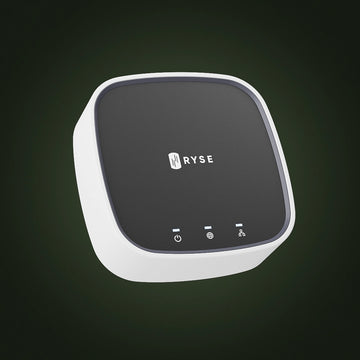
The RYSE SmartShade and SmartCurtain control your window coverings on their own through the app and Bluetooth. Voice assistants like Google Home, along with remote access and automated routines, need a Wi-Fi connection. That is the job of the RYSE SmartBridge. It is the hub that links your RYSE devices to your home Wi-Fi and to Google Home, Amazon Alexa, and Apple HomeKit.
Without the SmartBridge you still get full app and on-device control. With it, you unlock hands-free voice commands and scheduling.
What You Need
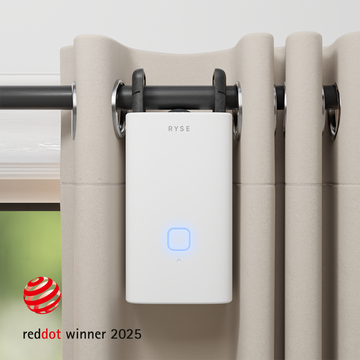
- A RYSE SmartShade (for beaded-chain roller, zebra, or solar shades) or a RYSE SmartCurtain (for rod curtains).
- The RYSE SmartBridge connected to your 2.4GHz Wi-Fi.
- The Google Home app with the RYSE integration linked.
How to Set It Up
Step 1: Add the SmartBridge
Connect the SmartBridge to power and follow the in-app steps to join it to your Wi-Fi.
Step 2: Set up your RYSE device
Install the SmartShade or SmartCurtain and pair it in the RYSE app using the SmartBridge. Everything is retrofit, so there is no drilling, no electrician, and nothing to replace.
Step 3: Link RYSE in Google Home
In the Google Home app, add RYSE as a connected service and sign in with your RYSE account. Your shades and curtains will appear as controllable devices.
What You Can Say
- "Hey Google, open the living room shades."
- "Hey Google, close the bedroom curtains."
- "Hey Google, set the office shades to 50 percent."
Key Benefits
- Hands-free voice control through Google Home.
- Schedules and routines so shades move on their own.
- Remote access from anywhere, right from your phone.
- Works with the shades and curtains you already own.
Why RYSE Is a Top Choice
RYSE gives you smart-home convenience without replacing your window coverings. Add the SmartBridge and your existing shades answer to Google Home, keep a schedule, and stay reachable wherever you are. It is the simplest way to make the windows you already have a lot smarter.
Share with your community!
In this article
Sign up for our newsletter
Latest from experts

Automate Light for Your Houseplants: Smart Shade Routines for Fall and Winter

The Daylight Handoff: How Smart Shades and Smart Lights Can Take Turns Through the Day
